
Case study 2 of 4 · Concept app · London
Comparing every ride across London in one search
Checking Uber, then Bolt, then FREENOW for the same trip takes minutes. Switch puts ride apps, black cabs, pre-booked cars and the Tube side by side, so you can pick the cheapest or quickest ride with one search. I designed it as a personal concept with Claude as a creative and technical partner: in less than six hours we produced a fully interactive prototype, a showcase website and motion design.
- <6 hFor an interactive prototype, a showcase website and motion design
- 60+Rounds of design feedback
- 13Screens in the prototype
Problem
Three ride apps for one trip
The idea came to me one evening on my way home. I had three ride apps on my phone, and I kept jumping from one to the next to compare prices and options for the same trip.
It felt far more complicated than it needed to be. What if I could compare everything in one place and make the best choice with a single tap?
Market check
A reality check before any pixels
Before designing, I asked Claude to act as a product, market and technical team and challenge the idea. The study found a real but modest need, earlier comparators that had closed or pivoted, and limited official access to platform prices.
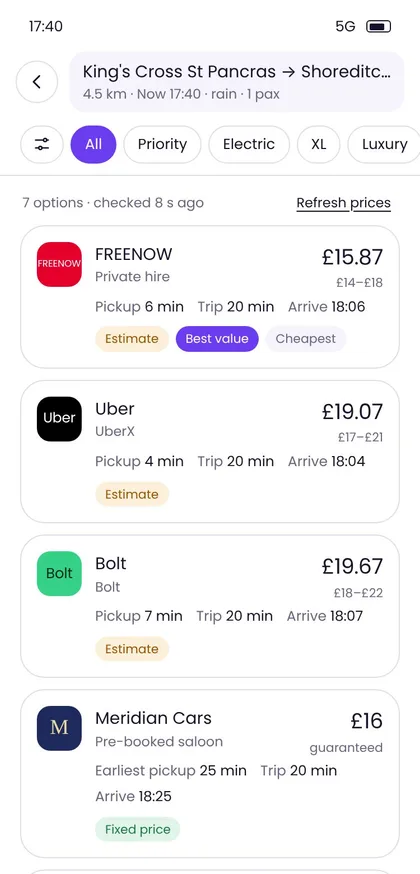
That shaped the prototype: prices are labelled as estimates, and fixed-price partners are the only bookings made inside the app.
Design
From destination to ride in three steps
- Say where you’re going
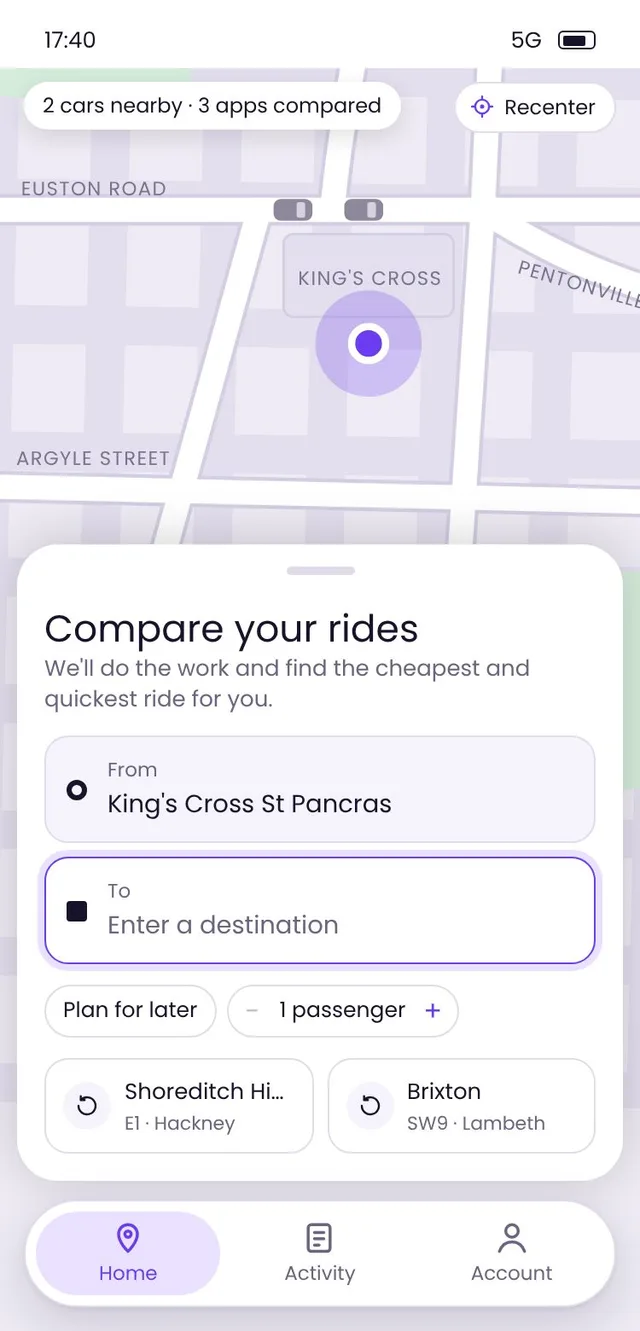
Type a destination, tap a recent place, or plan the trip for later with a date and time.
- Compare the options
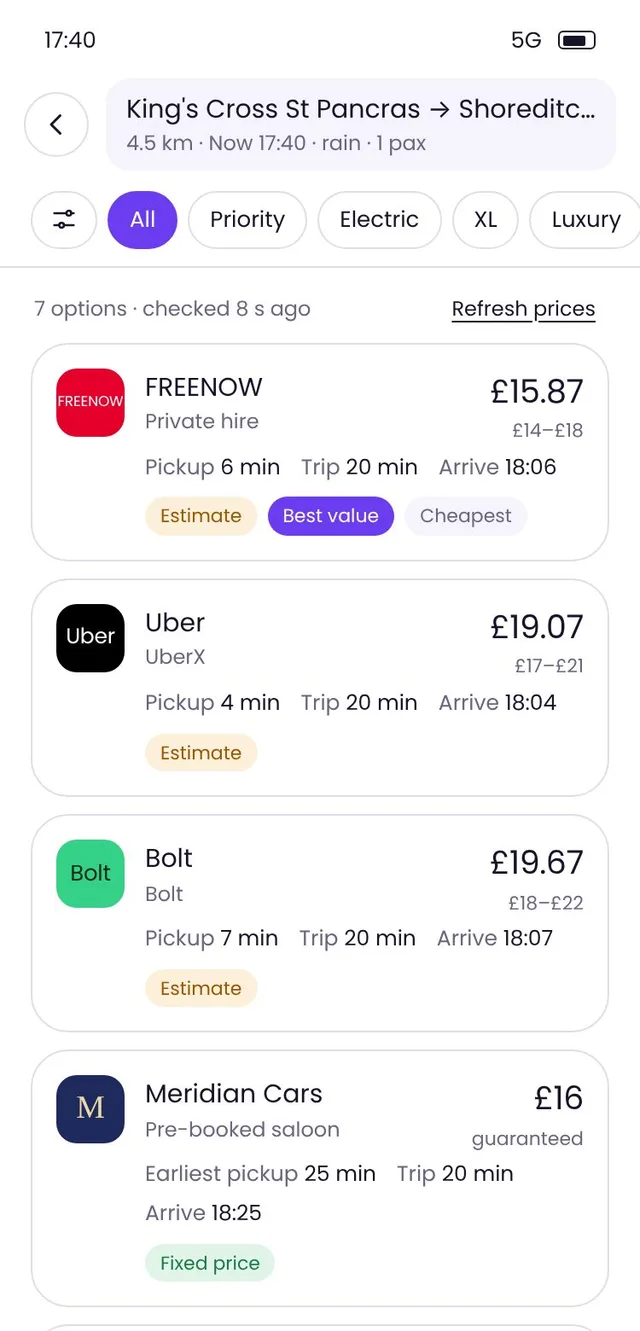
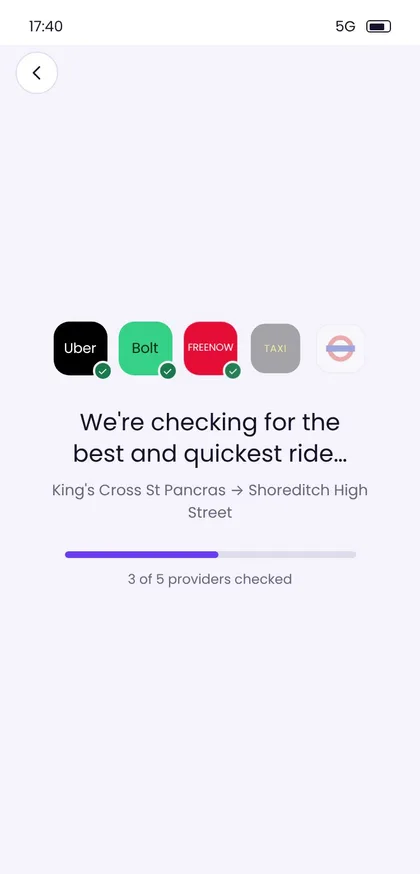
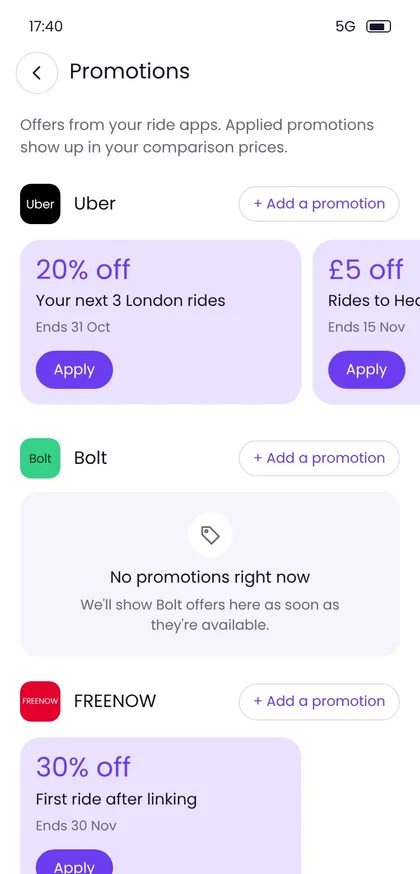
Switch checks each provider, then ranks the results. Promotions you’ve added are applied to the prices.
- Ride with your pick
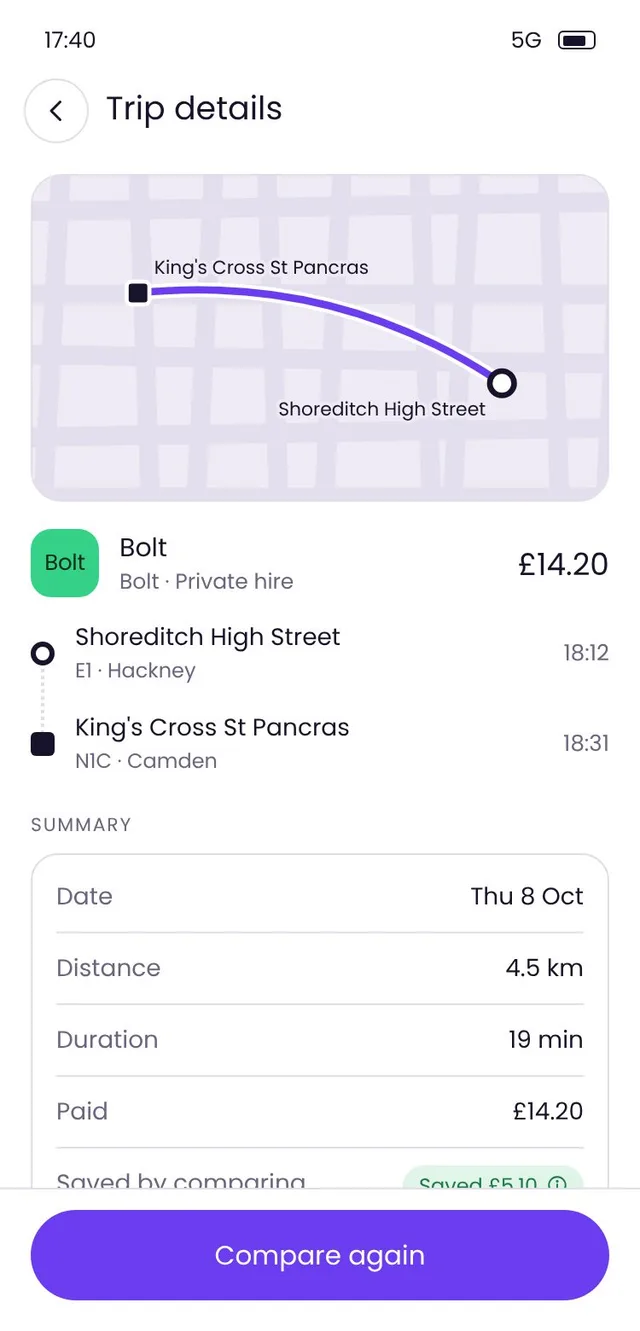
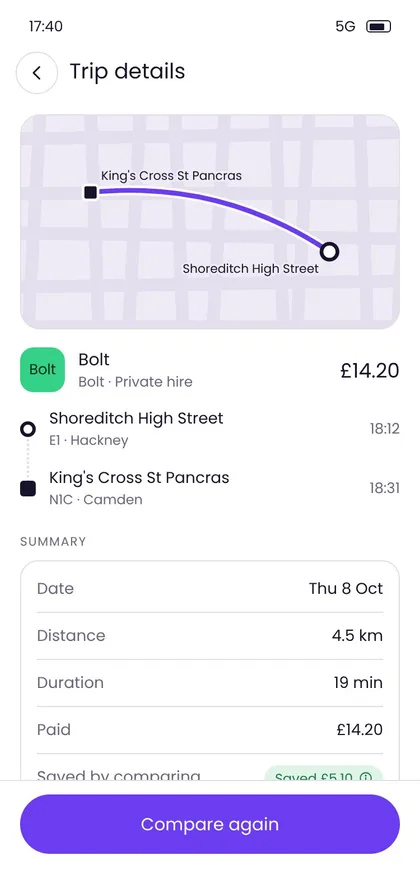
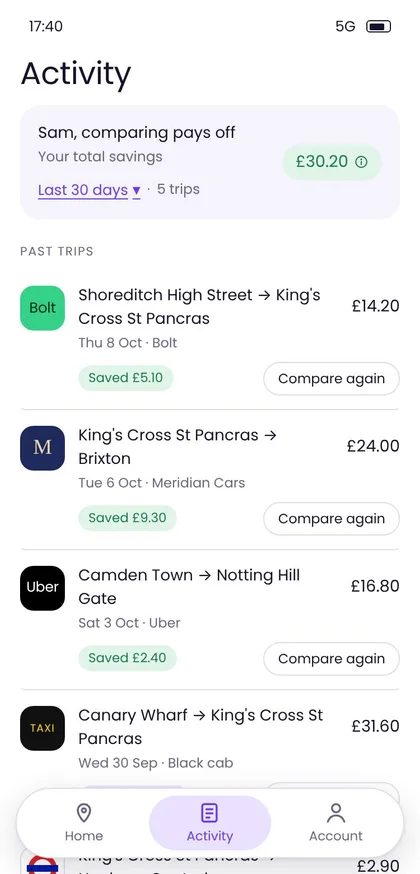
Continue in the provider’s own app, or book a fixed-price car from a partner directly in Switch. Every ride lands in your activity.
What we made
A prototype, a website and a film in under six hours
In less than six hours, Claude and I produced three things: a fully interactive prototype you can use on your phone, a showcase website that presents the concept, and a short motion design film.
Working with AI
A partner for speed, not a replacement for judgement
Every change went live in a working prototype within minutes, so I could review real interactions instead of static frames. The direction, the flows and the calls on what to keep stayed with me.
What I brought
- The problem, the target market (all trips across London) and the three-tab structure.
- The user flows: search, plan for later, results, trip history, linked accounts, promotions.
- The visual direction: a rounded typeface, violet as the primary colour, regular weight only.
- Detailed screen-by-screen feedback, down to spacing and component choices.
What Claude brought
- A market study to test the idea before designing anything.
- The front-end code for every iteration, published after each round.
- Suggestions to react to, such as headline options and the route-arrow logo.
- Flagged trade-offs, for example when a larger card would hide the location pin.
Evolution
From Kerbside to Switch
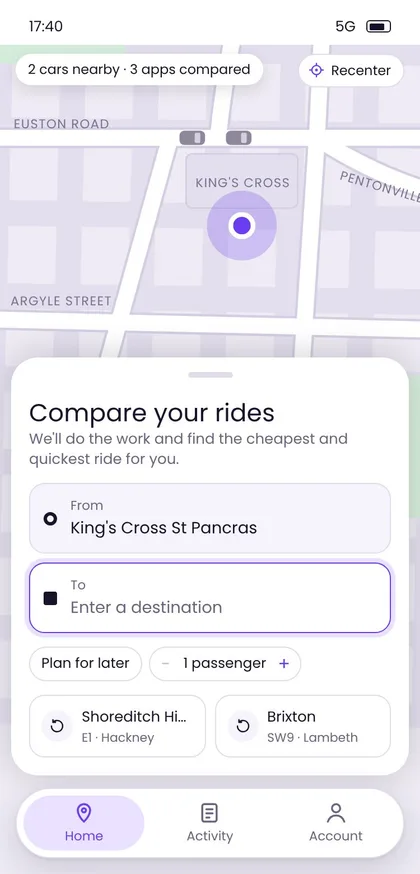
Both versions below are screenshots of the real prototype, each exactly as it was published: the first one built from my first prompt, and the current one after more than 60 rounds of feedback.
10 October 2026 · first prompt
Kerbside
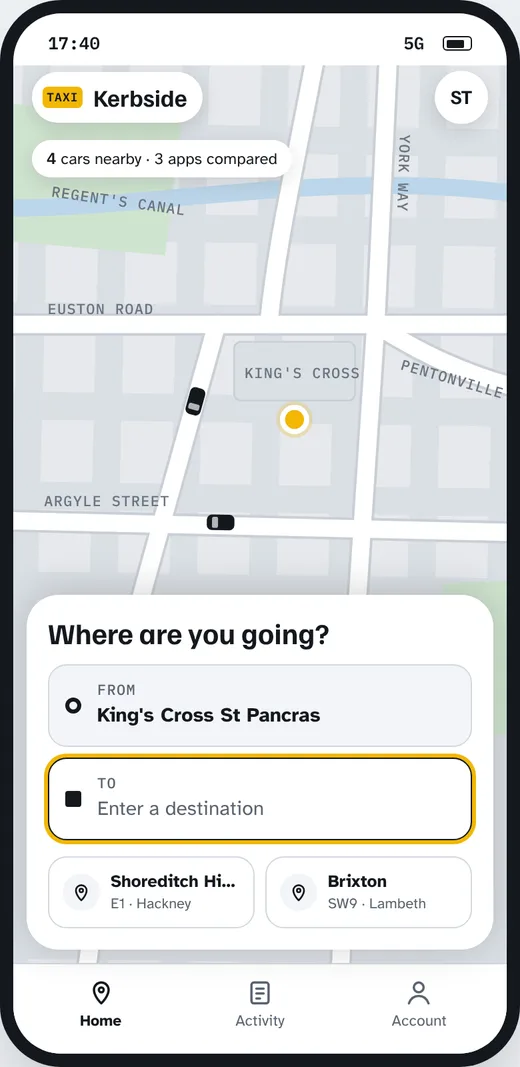
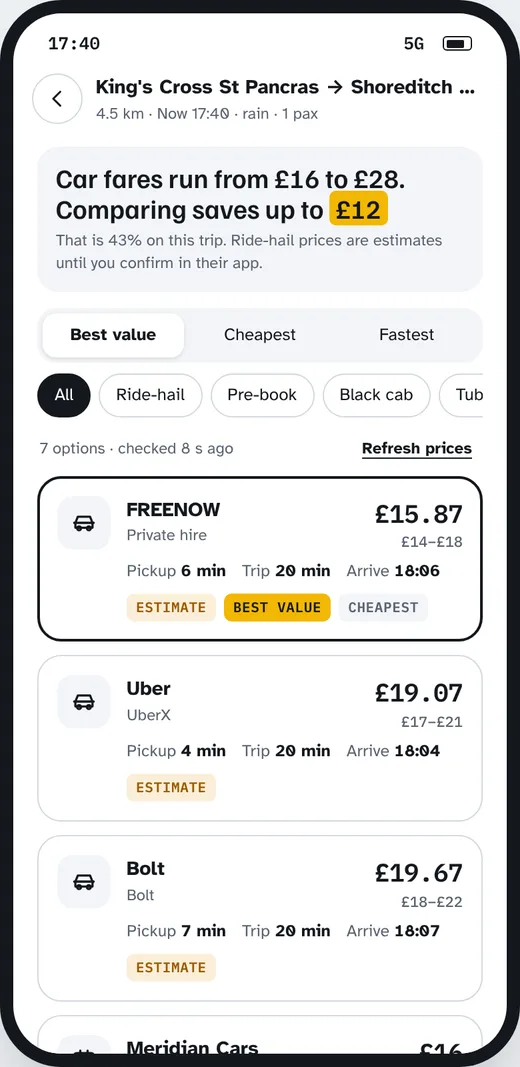
Still called Kerbside, with a yellow accent, a grotesque typeface and nine screens. It already followed my flow: three tabs, a map with four cars moving nearby, a focus on the destination field and two recent places that start a comparison in one tap.
- Destinations picked from a short list of London places.
- A “Checking prices” list, then results, a detail sheet, and a hand-off to the provider’s app or a fixed-price booking.
11 October 2026 · latest version
Switch
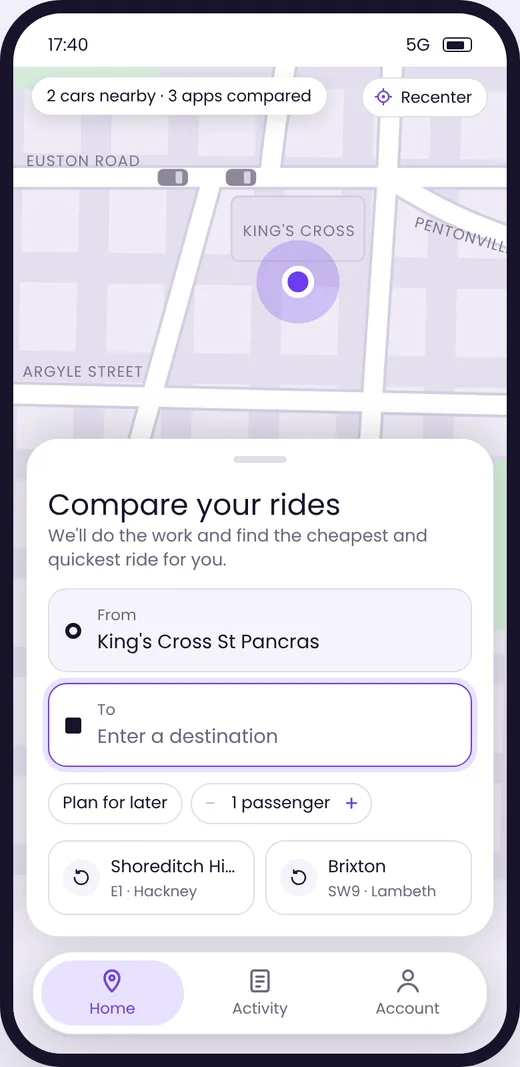
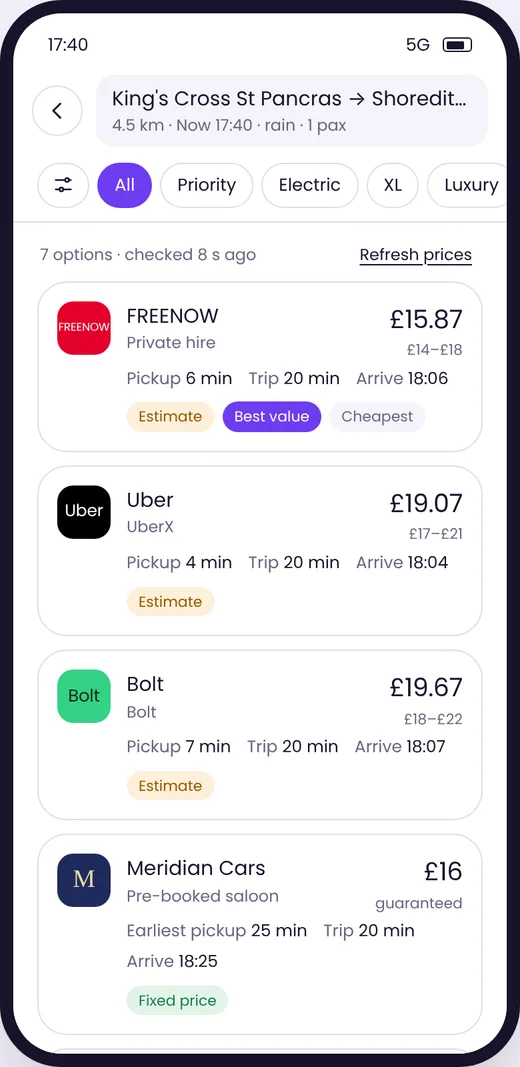
Now Switch, in violet and Poppins at a single regular weight, with thirteen screens:
- A launch screen with the animated route-arrow logo, and a calmer map with two cars.
- A search panel that expands to full screen with a keyboard and history, plus plan-for-later and a passenger stepper.
- A loading screen that ticks off each provider, then results with ride-type filters and a filter sheet.
- New screens for trip details, linked apps and promotions, with savings you can tap to understand.
In between, I reviewed each screen in the running prototype and refined it in small steps. After about five and a half hours I renamed the product Switch and added a baseline and a launch screen; in a later round, the logo became a route arrow: a starting point, an S-shaped path and an arrival arrow. A final polish pass removed button shadows, calmed the map, and added a promotions page where promo codes are checked before they apply.